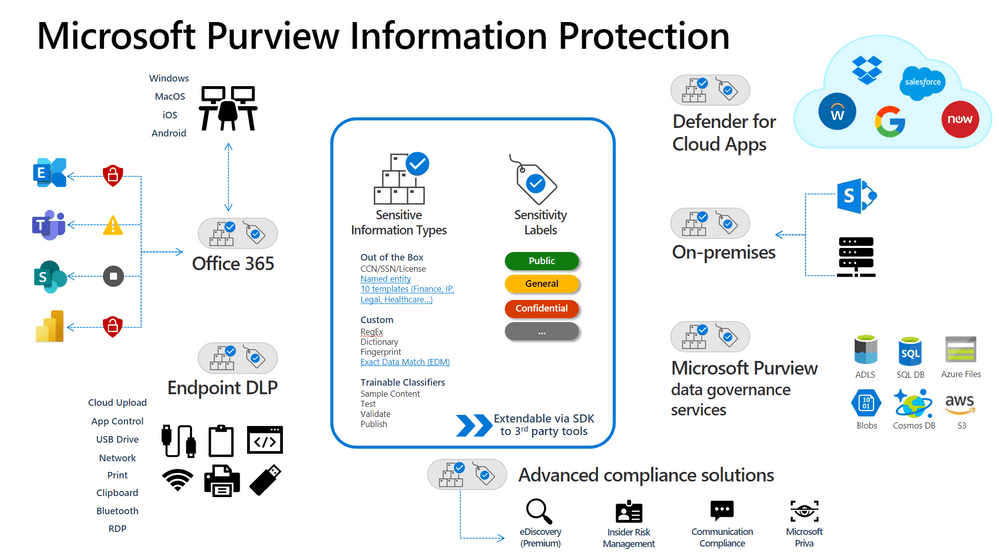
como ser um Ninja do Microsoft Purview? te explico logo abaixo!
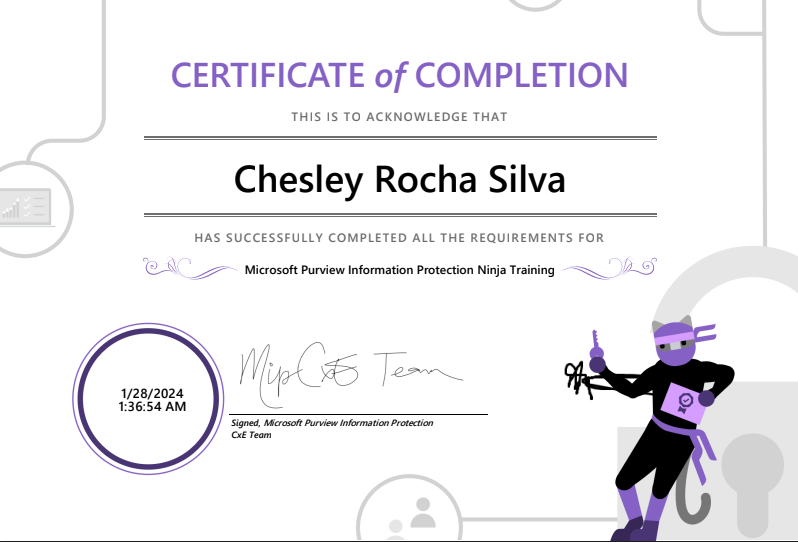
o site oficial é o seguinte: The Microsoft Purview Information Protection Ninja Training is here! – Microsoft Community Hub
Mas se quiser ficar por aqui, coloco abaixo todos os links!
Beginner Training
- Public forums to contact the overall information protection team
- Microsoft Purview Information Protection and Data Loss Prevention Roadmap(S)
- Please check out the above site on the latest items on our public roadmap.
- Introducing Microsoft Purview(V)
- The above video gives you an overview of the Microsoft Purview name and components.
- What is Microsoft Purview Information Protection?(V)
- The above video walks through a high-level overview of our Microsoft Purview Information Protection capability.
- Microsoft Purview Information Protection Overview(D)
- Check out our above documentation to get an overview of what MIP is and the different components intertwined.
- Classify data using sensitive info types with Microsoft Purview Information Protection(IG)
- Please use the above interactive guide to see how sensitive information types work and how to create a custom sensitive information type.
- Deployment Acceleration Guide(DAG)
- This guide will help you accelerate MIP deployment and follow the crawl-walk-run methodology.
- Microsoft Purview Information Protection Framework(D)
- Check out the above documentation to see how Microsoft Purview Information Protection uses 3 pillars to deploy an information protection solution.
- Protect Data with Zero Trust(LP)
- Zero Trust isn’t a tool or product, it’s an essential security strategy, with data at its core. Here, you’ll learn how to identify and protect your data using a Zero Trust approach.
- Built-in labeling vs the AIP Unified Labeling Client(D)
- Both the Azure Information Protection (AIP) unified labeling client and labels built into Office apps use sensitivity labels that make it easier for users to protect their data; this document walks through the differences.
- Microsoft Purview Information Protection support for PDF and GitHub(V) and Ignite Conversation(V)
- The above videos walk through announcements regarding support for PDF and GitHub
- Adobe and Microsoft Purview Partnership(S)
- The above Adobe site has different ways Adobe and Microsoft Purview work together
- Protect everything, everyone, everywhere with comprehensive security(V)
- This video will share the latest announcements on Microsoft’s product innovations across cloud security, DevSecOps, threat protection, identity governance, management, and information protection.
- Get started with discovering, protecting, and governing sensitive data(V)
- The above Ignite video shows how we can help you get central visibility into and better manage your company’s sensitive data and ensure secure collaboration.
Intermediate Training
- AIP Unified Labeling Client is in Maintenance Mode(B)
- The above blog walks through what is in maintenance mode and what that means for our customers.
- Identify Content Using Trainable Classifiers in Microsoft Purview Information Protection(IG)
- Please use the above interactive guide to walk through the steps in creating Trainable Classifiers to identify content.
- Identify Content Using Exact Data match-based classification in Microsoft Purview Information Protec…
- Please use the above interactive guide to walk through the steps in using Exact data matching to identify content.
- Complete advanced labeling with Microsoft Purview Information Protection(IG)
- Please use the above interactive guide to see the steps required for an auto-labeling policy.
- Monitor the use of sensitive information in your organization with Microsoft Purview Information Pro…(IG)
- Please use the above interactive guide to see how to use Content Explorer and Activity Explorer.
- Create auto-labeling policies with Microsoft Purview Information Protection(IG)
- Please use the above interactive guide to see how to auto-labeling policies behave in different workstreams.
- Create labels and label policies with Microsoft Purview Information Protection(IG)
- Please use the above interactive guide to see how to label policies behave in different workstreams.
- End User Training for Sensitivity Labels(S)
- The above training is provided to help educate end users during the adoption of sensitivity labels.
- Sites for testing documentation(S)
- The above site details locations where you can get sample data.
- Different names to consider(D)
- The above documentation goes through the different names for many of our solutions.
Advanced Training
- Best Practices Guide(DAG)
- The above best practices have proven to make deployment of information protection policies in many organizations easier, faster, and more successful.
- Deployment Testing Plan(DAG)
- The above DAG walks through steps you can take to test your deployment.
- Azure Information Protection unified labeling scanner(SBD)
- This episode will walk you through the Azure Information Protection (AIP) Scanner architecture, recommendation, installation and configuration.
- Configuring Exact Data Matching for Accurate Data Classification(P)
- Check out the above PDF to get an understanding of how EDM works under the hood.
- Configuring Exact Data Matching for Accurate Data Classification, Part 2: Advanced Scenarios(V)
- The above video walks you through advanced scenarios faced by customers and how to speak to those scenarios.
- Configuring Exact Data Matching (EDM) for Accurate Classification, Part 3: Addressing Challenging Re…(V)
- The above video walks you through additional requirements that you can face in multiple environments.
- Microsoft Defender for Cloud Apps integration (D)
- Please visit the above documentation to learn more about how Microsoft Purview Information Protection integrates with Microsoft Defender for Cloud Apps
- How to disable the Encrypt-Only feature in Outlook(D)
- This above documentation describes how to disable the Encrypt-Only option in Outlook.
- Troubleshooting Guides (D)
- Please check out the below documentation to find guides on common issues.
- “Too many users” error when adding many recipients to encrypted email
- Mail contacts in groups have intermittent access to encrypted content
- Sensitivity labels are missing in Outlook, Outlook on the web, and other Office apps
- “We can’t display your message right now” error in Outlook Web App when an Exchange Online user view…
- Please check out the below documentation to find guides on common issues.
- Microsoft Purview Information Protection with 3rd parties(V) and SDK Setup(D)
- This video goes through our SDK offerings and the ability to apply MIP in third parties.
- A simple approach to data protection(V)
- The above Ignite video is an Ask the Experts session on data protection.
 Blog do Chesley